How to photograph 1:64 scenes with a phone
Last updated 2026-11-02
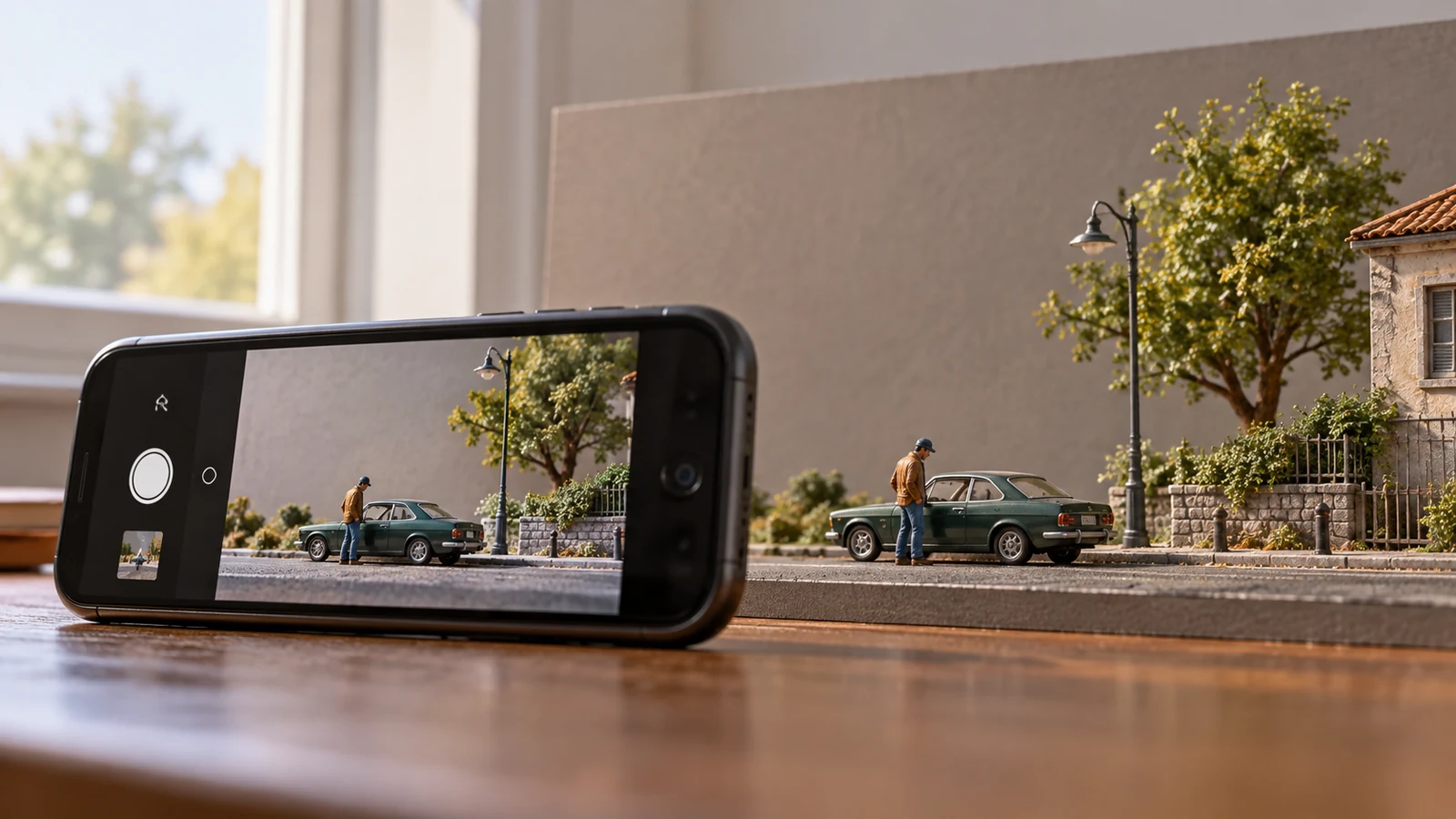
Place your phone close to the ground, light the scene from a window and focus on the figure. These three choices make a bigger difference than buying a new camera. Start with a simple background and adjust one thing at a time.
Find soft light
Set the scene beside a bright window, without direct sunlight falling across it. A white card on the opposite side can reflect light back into the shadows. Turn off mixed-colour room lights if they make the picture look uneven.
Avoid a hot lamp close to painted resin. If the light is too harsh, move the scene farther from the window or use a thin curtain to soften it. Try turning the scene so the light comes from the side rather than straight behind the figure.
Bring the camera down
Rest the phone on the table with the lens close to the model's eye level. A low angle makes the viewer feel inside the scene. Check the edges of the frame for oversized household objects; a sheet of plain card behind the scene can hide them.
- Clean the phone lens with a suitable lens cloth before shooting.
- Use the main camera first; move the phone until the figure looks sharp.
- Tap the figure on screen to set focus, and lower exposure slightly if bright areas lose detail.
- Brace the phone or use a small support. A two-second timer helps avoid movement when you tap the shutter.
Close up without losing focus
If your phone has a macro mode, try it on the figure's face or a small scene detail. If it does not, step back until the subject is sharp and crop a little afterwards. Moving closer than the camera can focus produces blur, not extra detail. Avoid heavy digital zoom when a closer sharp photo is possible.
Depth of field is the distance that appears sharp. At close range, a figure may be sharp while the car behind it is blurred. To keep both clearer, move the figure and car closer together, step back slightly and focus between them. Check the result at full size: a small phone preview can hide missed focus.
Take a useful set
Take three views: a wide shot showing the setting, a low-angle view of the figure and car, and a close detail. Move one object or change one angle between shots, then compare them. Leave a little space around the subject so the image can be cropped for different screens.
If photographing an item for sale, show the actual item clearly and explain any edit. An atmospheric scene can inspire a composition, but should not imply accessories are included.